AI in Parenting: How to Use Smart Tools Mindfully at Every Age
TL;DR: Quick summaryUse AI as a tool for you, not as a companion for your child. Skip chatbots and AI toys for the youngest children, use chatbots only alongside you from ages 6 to 12, and keep AI away from feelings and friendship at every age under 18.

In this article
TL;DR: Quick summary
Use AI as a tool for you, not as a companion for your child. Skip chatbots and AI toys for the youngest children, use chatbots only alongside you from ages 6 to 12, and keep AI away from feelings and friendship at every age under 18.
What you'll get
About 25 minutes to read. Short on time? Read the bold lines and the Key Takeaways near the end.
It is 7:15 on a school morning. Your nine year old wants to know why the sky turns pink at sunset, so she asks the chatbot on the family tablet. At the same time, you are using another chatbot to draft an email, plan dinner and soften a note to her teacher. Nobody is doing anything wrong, yet something feels worth pausing over.
You are not imagining it. In one survey from Internet Matters, 58% of 9 to 12 year olds were already using AI chatbots. Children are meeting this technology faster than most of us are learning it.
This article is for parents and caregivers of children from birth to age 12. I am a paediatrician, so I will tell you where the guidance is clear, where it is thin, and where you simply need your own judgement. By the end you will know which tools suit which ages, what to say to your child, and how to set rules you can actually keep.
Is it okay for me to use AI as a parent?
Yes, for most everyday jobs, as long as you treat it like a quick assistant that can be wrong. Use it for drafting, planning and organising. Keep your child's health decisions, private details and parenting instincts firmly in your own hands.
Parenting runs on invisible mental work: the meal plan, the permission slip, the party guest list, the gentle email to a teacher. AI tools can take some of that load, and there is no shame in using them. A tired parent who gets a first draft quickly often has more patience left at bedtime.
The trouble starts when a helpful assistant quietly becomes the decision maker. That is what "mindful" means here. You stay in charge, and the tool stays a tool.
Where AI genuinely helps
None of these involve your child's private information or your child's health. That is why they are low risk.
Where AI should not be in charge
AI can make mistakes, and it can sound confident when it does. So anything involving your child's body, behaviour or safety needs a human check.
Picture a parent at 10 pm who spots a rash and types the question into a chatbot. The answer might be fine, or it might falsely reassure. For rashes, fevers, breathing, feeding worries or medicine doses, call your doctor, health visitor or local urgent care line instead. Nothing a chatbot says should delay that call.
Discipline is another area where a human has to lead. AI can help you word a calm response to a tantrum, but it does not know your child. Compare any script it gives you with gentle discipline basics and then adjust it to your own family.
A three question check before you type
- Would I be happy if this text appeared on the school noticeboard?
- Does it include my child's full name, school, photo, address or health details? If so, remove them.
- Am I asking it to help me think, or to decide for me?
Common mistakes:
If you want to see how other parents describe using AI as a kind of everyday assistant, this short video is a lively example. Watch it with the same filter: borrow the ideas, not the decisions.
What age can my child start using AI chatbots?
There is no single magic age, but the guidance is consistent. Young children should not use chatbots, ages 6 to 12 need limited use alongside a parent, and teens can use them with supervision for homework and creativity, not for comfort or feelings.
The youngest children: no chatbots
Common Sense Media recommends no AI chatbots for young children, because they cannot fully tell AI apart from real people. A small child hears a friendly voice answering questions and assumes someone is in there. That confusion is a developmental stage, not a failing.
Screens in general matter here too. Guidance from the Centre for Healthy Screen Use says to avoid exposing children under 2 years to screens, and to keep routine, non active screen use to about 1 hour or less a day for ages 2 to 5. For children under three, there is not much learning benefit from AI apps or smart toys. So skipping them is unlikely to cost your toddler much learning.
Ages 6 to 12: alongside you, in moderation
For children aged 6 to 12, Common Sense Media recommends limited use alongside a parent or caregiver. Its risk assessment adds that any chatbot use at ages 6 to 12 should happen with close supervision and in moderation. The reasons include that AI can show children unsafe content and make mistakes.
A version built for younger users is not automatically safe. One assessment of a chatbot for under 13s found it can share inappropriate content that children are not ready for, including sexual content, drugs and alcohol, and unsafe mental health content.
Use rises quickly as children near 12. In a Pew Research Center survey, 3% of parents said their 5 to 7 year old uses AI chatbots, rising to 7% for an 8 to 10 year old and 15% for an 11 or 12 year old. Different surveys ask different people, so the numbers will not match, but the direction is clear.
Ages 13 and over: supervised, with limits
For teens, Common Sense Media says supervised use is fine for homework and creativity, not for comfort or feelings. ChatGPT's own terms say users must be 13 or older, and anyone under 18 needs a parent's or guardian's permission to create an account.
Be realistic about enforcement. ChatGPT has no age verification, so children may try to access it without a parent's knowledge. The age of 13 is not arbitrary either:
The common minimum age of 13 comes from data protection laws. Platforms cannot collect or store information from users under the age of 13.
Internet Matters
What to say when your child asks
Imagine your eight year old announces that everyone in class uses a chatbot. You could say:
"That tool is made for older kids, so it is not a solo one for you yet. If you are curious about something, we can look it up together and check the answer."
With a ten year old who wants help with homework: "Let's try it together. You tell me what you think first, then we see what it says, then we check whether it is right."
Common mistakes:
If you find your child has been using a chatbot secretly, stay calm. Say thank you for telling you, look at it together, and agree the next step. Punishing honesty teaches children to hide things.
Are AI toys and smart gadgets good for young children?
No, not for the youngest. Common Sense Media recommends that no child age 5 and under uses AI toys, and that parents take care before buying them for ages 6 to 12. The Centre for Healthy Screen Use also advises that under fives avoid AI toys.
What is the problem with an AI toy?
A traditional toy does what a child makes it do. An AI toy talks back, adapts and sometimes pretends to be a friend. For a small child who is still working out what is real, that is a lot to untangle.
Privacy is the other worry. Common Sense Media's risk assessment says:
These devices collect voice recordings, transcripts, and behavioral data in children's bedrooms and play spaces.
Common Sense Media
Safety testing has not caught up. In Common Sense Media's research, 27% of AI toy outputs were inappropriate for kids despite protective measures.
There is also little upside. For children under three, there is not much learning benefit from AI apps or smart toys. Young children learn best from people, from messy hands on play, and from repetition with someone who loves them. A talking plush cannot offer that.
The video problem: "AI baby slop"
The Centre for Healthy Screen Use advises that children under five should not be exposed to AI toys or video content, often called "AI baby slop". This is the endless, strange, computer made clips that can appear on autoplay.
Picture a toddler left with a tablet for ten minutes while you cook. The first video is a familiar nursery rhyme. By the fifth, autoplay has moved on to something odd, fast and loud that nobody chose.
Simple fixes:
- Turn autoplay off in every app your child can reach.
- Use a saved playlist or a short list of approved shows instead of open browsing.
- Sit in the same room for the first few minutes of any new video.
- Keep screens off at meals and in the time before bed.
How to say no to a well meant gift
AI toys often arrive as gifts from loving relatives. A kind, firm script helps:
"Thank you so much for thinking of us. We are keeping toys that talk back off the shelf for now. Could we swap it for blocks, a puzzle or a book? We would love that."
A quick checklist before any smart toy or app
ZERO TO THREE advises choosing AI tools carefully, protecting children's data, and avoiding products that encourage emotional dependence, tracking, or targeted advertising. If the answer to several of those questions is yes, put it back.
Here is a short video on using AI tools to be more present as a parent. Notice that the idea is to free up your attention for your child, not to hand your child over to the tool.
Are AI baby monitors worth buying?
They can be a handy convenience, but they are not a safety guarantee. An alert is only as good as the person who responds to it. If you buy one, choose for privacy and clear alerts, and ask your doctor or health visitor about safe sleep.
Why monitors are different from other AI gadgets
Everything so far has been about tools your child uses. A baby monitor is different, because the screen is yours. Your baby is not watching anything. That is why the guidance on avoiding screens for under twos is about what a child watches, and the evidence I have does not say how it applies to a monitor.
Still, "smart" monitors raise the same questions about data and trust. The principle of protecting children's data and avoiding tracking applies just as well to a camera in the nursery.
What the AI features actually do
Makers describe their AI features in similar terms. I cannot vouch for how well any of them perform, and none of the evidence I am relying on tests them. Here is what each listing says.
The Monai Nest WiFi baby monitor is portable, and its AI is said to tell background noise like wind or traffic from a baby's cry. The Monai 4K smart baby monitor lists local storage, no monthly fee and daily sleep reports.
The BOIFUN 2.5K baby monitor says it detects sleeping position and facial coverage, and offers an encryption chip plus switches to turn WiFi and the camera off. The ALIOBC AI video baby camera can work locally without WiFi or connect through an app, with three sensitivity levels for its cry alerts.
The HUBBLE CONNECTED GoBaby monitor lists covered face and rollover detection with sleep analytics. The Sense-U AI baby camera pairs a camera with a movement badge and sound detection.


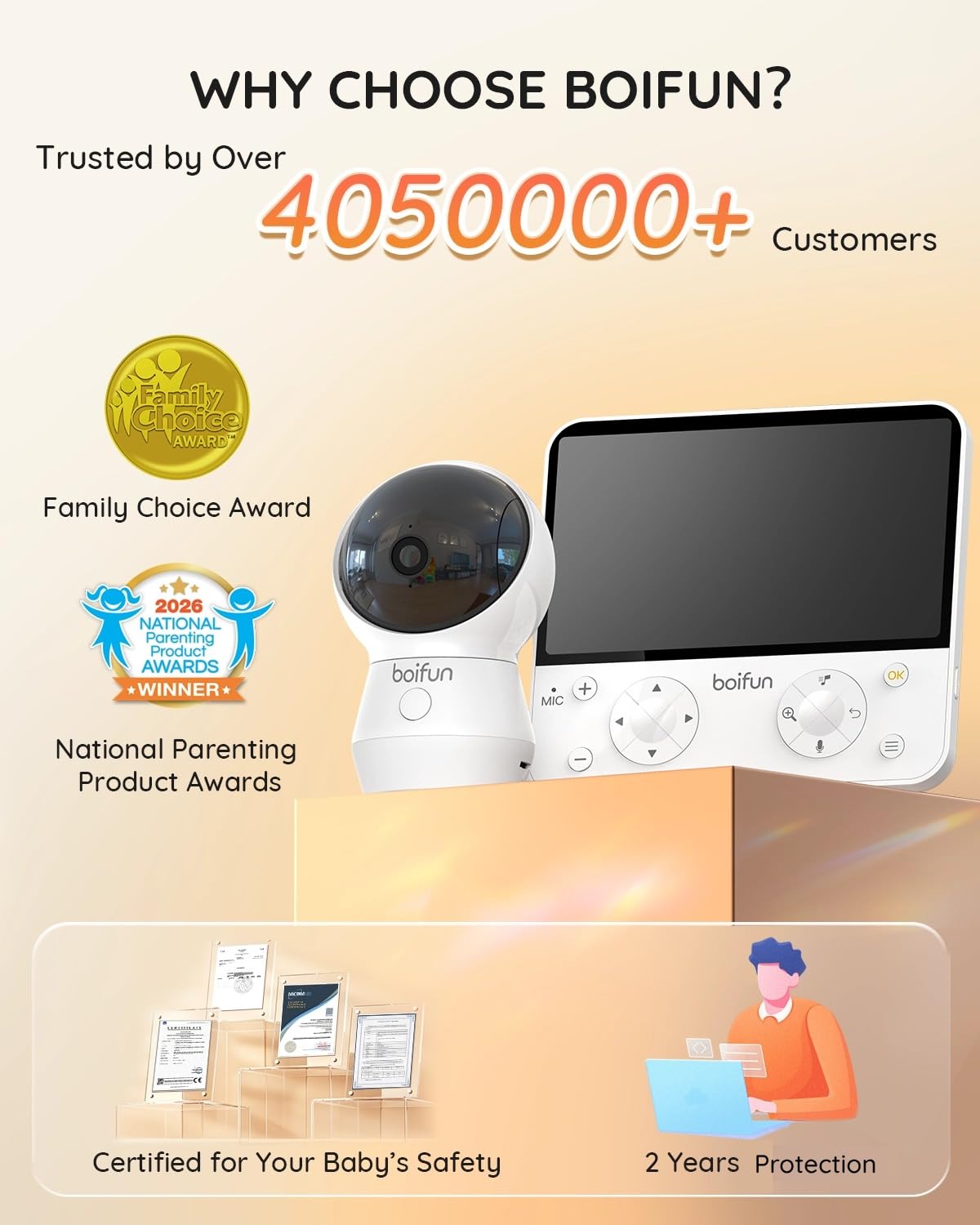
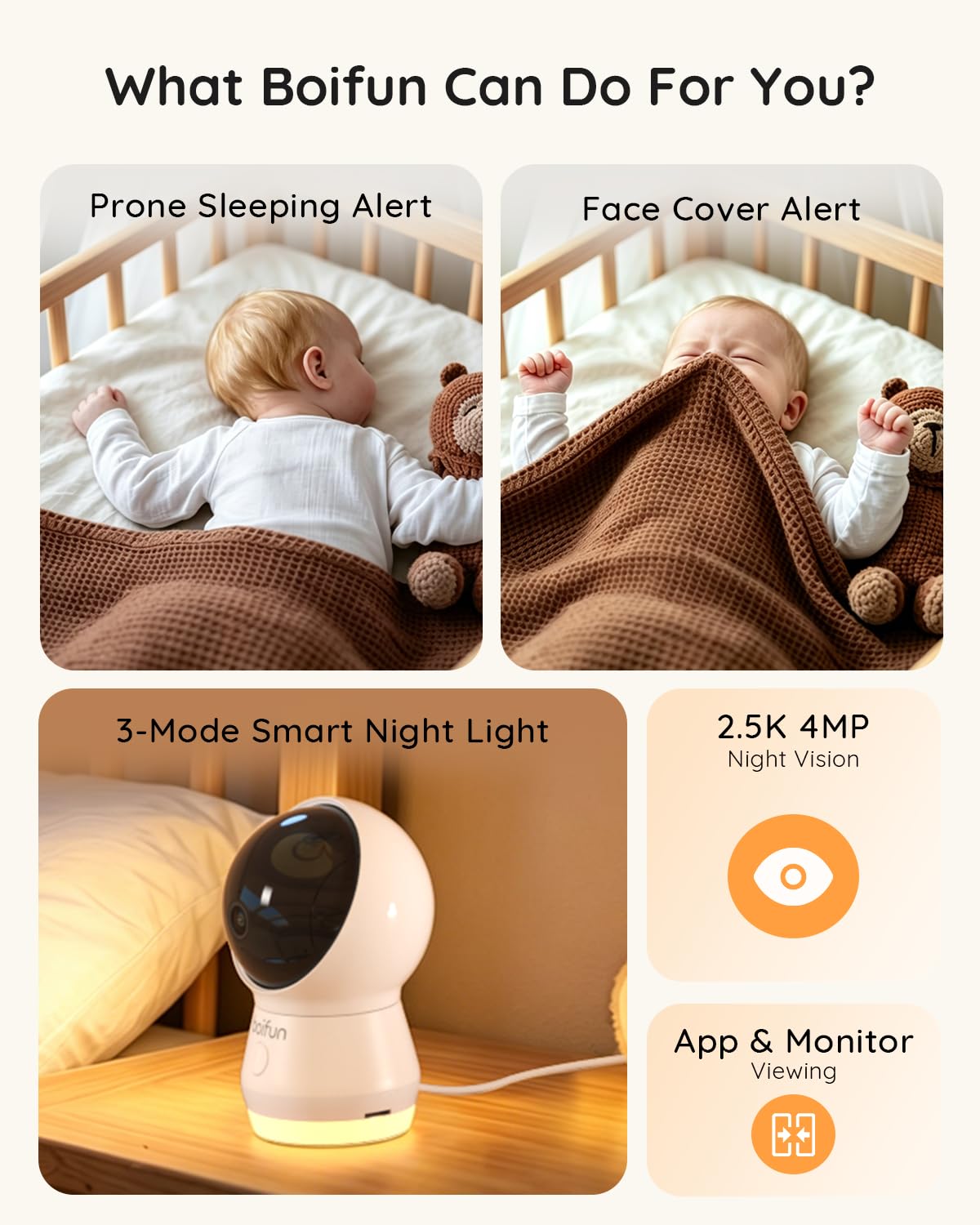
BOIFUN 2.5K Baby Monitor with Camera and Audio, WiFi Smartphone APP Control
- Smart AI Sleep Safety Alerts: AI baby monitor with camera and audio intelligently identifies prone sleeping…
- Bank-Level Encrypted Security: Equipped with a built-in AES128 security chip, this wifi baby monitor ensures…
- Ultra-Clear 2K Full-Room View: See every detail with the 2K HD camera and infrared night vision. The…
Privacy comes first
Before price, features or resolution, ask these questions:
Point the camera at the cot, not the whole room. Update the app and firmware when prompted. Remove old accounts when you pass a monitor on.
The anxiety trap
New parents often tell me that a monitor soothes them at first and then takes over their evenings. Every beep becomes a reason to check, and sleep gets worse for everyone. That is the opposite of the peace of mind the box promised.
Set a rule early, for example: "We look when the alert goes off, or at set times, not on a loop." Tell your partner the rule too, so nobody ends up as the lone watcher.
Common mistakes:
When to get help: if you are not sleeping because you cannot stop checking, or if you feel constantly on edge, tell your doctor or health visitor. That is common, treatable, and nothing to be embarrassed about. For safe sleep rules, ask your doctor or health visitor what applies to your baby's age.
Should my child ever talk to AI about feelings or friendship?
No. Common Sense Media advises no AI for emotional support, mental health advice or friendship for anyone under 18. It also rates social AI companions as unacceptable risks for minors. Feelings belong with people who know and love your child.
Why AI is a poor listener
AI has no medical training. It cannot notice a wobbly voice, a flat face or a child who has stopped eating. Here is the line I want every parent to know:
AI chatbots also consistently miss warning signs of conditions like depression, anxiety, and eating disorders.
Common Sense Media
Then there is the design. Some products are made to feel like a friend who always agrees. ZERO TO THREE advises avoiding products that encourage emotional dependence. And Common Sense Media's assessment of social AI companions concluded that these tools should not be used by anyone under 18.
Why children are drawn to it anyway
It helps to understand the pull, because shaming will not work. A chatbot is available at 2 am. It never gets tired, never rolls its eyes, and never says "not now".
A shy child, a child being teased, or a child who fears upsetting you may find that very appealing. Picture a ten year old who is embarrassed about a falling out with a friend and types it all out to a chatbot instead. The instinct to tell someone is healthy. We just want to redirect it to a person.
What to say
If your child tells you they have been talking to a chatbot about their feelings:
"I'm glad you got it out of your head. I'm even gladder you told me. Can I hear a bit of it?"
Then keep going: "A chatbot can't really know you, but I do. Next time something feels heavy, come and find me, even if it's the middle of the night."
If your child says they have no one to talk to, take that seriously. Name two or three real people: a parent, a grandparent, a teacher, a school counsellor, a family doctor. Say them out loud together.
Building those skills is part of empathy and emotional learning, and it happens through real conversations. A few minutes of undivided attention at bedtime can do more than any app.
Signs your child may be leaning on AI too much
Any one of these can have other causes. Several together deserve a conversation and a visit to your child's doctor.
When to get help
If your child seems persistently sad, anxious, or unlike themselves, book an appointment with your doctor or paediatrician. Tell them about the chatbot use; it is relevant information. Your child's school counsellor can also help.
If your child talks about hurting themselves, or you are worried about their immediate safety, do not wait. Contact your local emergency number or crisis service straight away.
Common mistakes:
Some parents also use AI to manage their own focus and mental load, which is a different matter from a child confiding in one.
What family rules should we set for AI?
Keep rules few, clear and made together: where AI is used, who is present, what you never share, and how you check its answers. Start with the age guidance, then adjust for your child. Rules work best when you follow them too.
Seven rules that work for most families
- Use it in shared spaces. For ages 6 to 12, chatbot use should happen with close supervision. A kitchen table beats a bedroom.
- Sit with them. For this age, use alongside a parent or caregiver is the recommended approach.
- Never share private details. No full names, school names, addresses, photos, passwords or voice recordings.
- Check important answers. AI can be wrong, so any fact that matters needs a second source.
- No AI for feelings or friendship. Under 18, this is off limits.
- Keep time limits. For ages 2 to 5, routine non active screen use is about 1 hour a day or less.
- Review every few months. Children change quickly; rules should too.
How to introduce the rules
Pick a calm moment, not the middle of an argument. Say: "We are going to write our family tech plan together. I want to hear what you think is fair, and I will follow it too."
Let children suggest some rules and some consequences. Write it down, sign it and put it somewhere visible. Children often keep rules they helped to write more readily than rules handed down.
If you share parenting with a partner, agree on the rules between you first. Mixed messages invite bargaining. Relationship tips for parents can help when you disagree about screens.
Check the devices already in your house
Some connected devices collect voice recordings and behavioural data in children's bedrooms and play spaces. Walk around your home with a short list: smart speakers, baby monitors, doorbell cameras, tablets, toys that connect to the internet.
For each one, ask whether you can switch off the microphone or camera, and whether recordings stay on the device. Look for monitors with a local mode, like the ALIOBC baby camera, as one option to compare. That is the kind of control to look for in anything pointed at your child. Protecting children's data and avoiding tracking is a core piece of advice from ZERO TO THREE.
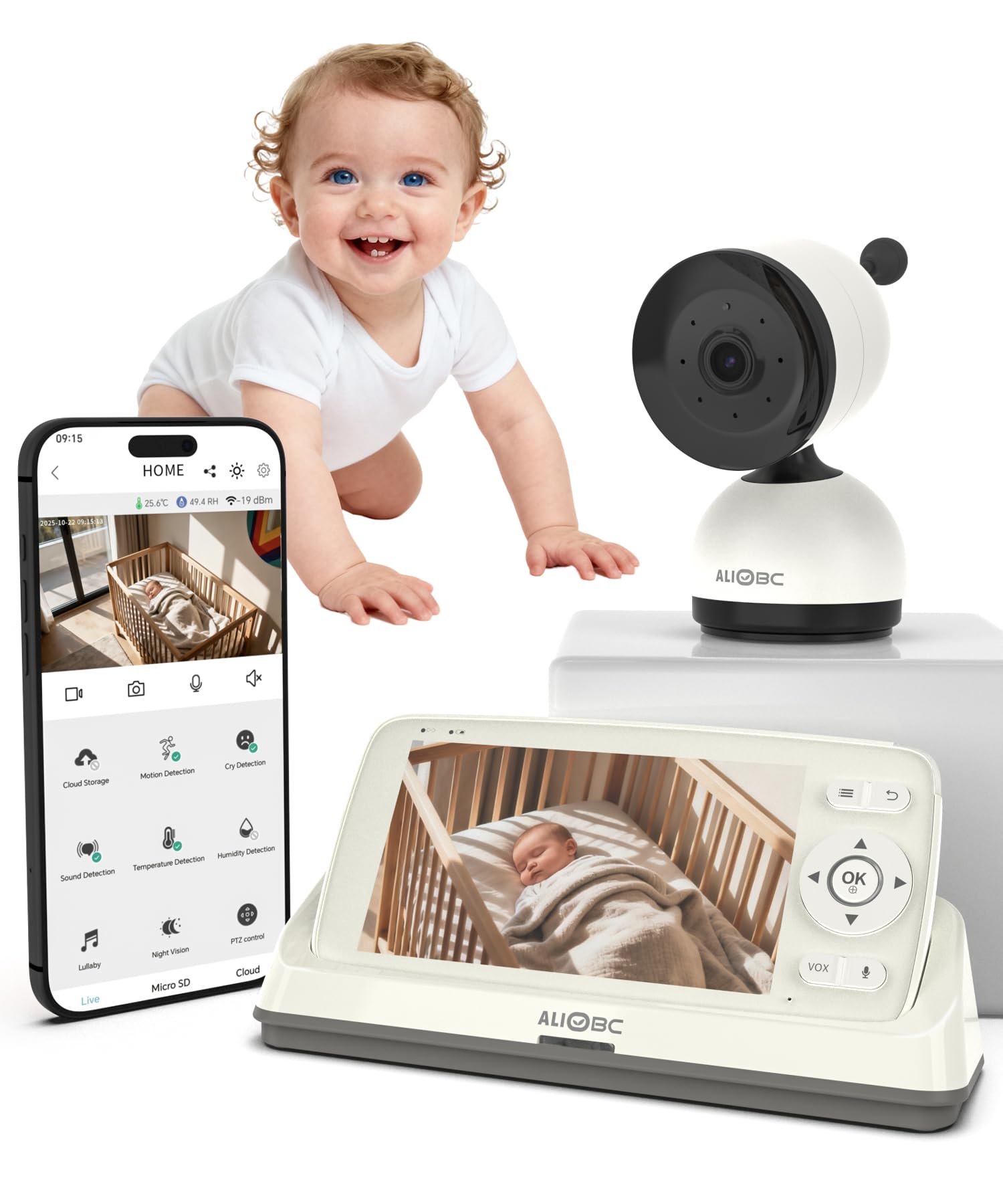


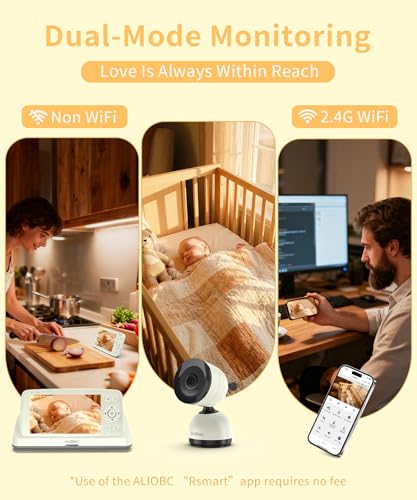

ALIOBC Baby Monitor with Camera and Audio AI Smart Video Baby Camera
- Dual WiFi & No-WiFi Baby Monitor: Use as wireless baby monitor locally for instant privacy, or connect via…
- Advanced AI Detection: Detects cry motion, and sound with 3 sensitivity levels reduces false alarms.Captures…
- 1080P HD Baby Camera with Pan Tilt Zoom:Video baby monitor Captures every detail with professional-quality…
Rules by age
For ages 0 to 5:
For ages 6 to 12:
Common mistakes:
When to get help: if your child keeps breaking the rules, hides their use, or becomes very distressed when they cannot reach AI, talk to your doctor or paediatrician. That is a signal worth taking seriously, not just a discipline problem.
How do I talk to my child about AI, and what if something goes wrong?
Explain AI as a clever guessing machine, not a person. Keep it short, honest and pitched to their age. Then make one thing clear: if they ever see something scary or confusing, they can tell you without getting in trouble.
Words that work by age
For ages 3 to 5, keep it concrete: "That voice is a machine. It is not a person. It cannot be your friend like Grandma or Sam can." Few sentences, no lecture, then back to play.
For ages 6 to 8: "A chatbot is like a very fast guesser. It reads lots of writing and makes a good guess about what to say. Sometimes the guess is wrong, even when it sounds sure."
AI can be handy, but it can also get things wrong, show things you are not ready for, and collect what you type. That is why we use it together, and why we never share private things."
Our guide to big conversations without meltdowns has more tips on timing and tone for these chats.
If your child sees something upsetting
Imagine your ten year old comes to you looking pale: a chatbot said something frightening about drugs. A chatbot can share unsafe content that children are not ready for. Your calm reaction in the moment helps your child feel safe to tell you more.
- Stay calm. Take a slow breath before you speak.
- Thank them. "I'm really glad you told me. You did the right thing."
- Listen first. Ask what they saw and how they feel before you explain anything.
- Correct gently. Give a simple, true answer at their level.
- Take a note. Save a screenshot if you want to report it to the platform.
- Adjust the setup. Check settings together, and decide if that tool should stay.
- Follow up. Check in a day or two later: "Is that still on your mind?"
Tell them what you are doing too
Children copy what we do. If you check AI answers out loud ("let me double check that"), they learn it is normal. If you put your phone down at dinner, they learn tools come second to people.
Narrate your choices: "I used AI to draft this email, but I'm changing a few things because it does not sound like me." That is media literacy in one sentence.
Red flags that need more than a chat
When any of these are present, speak to your child's doctor, paediatrician or school counsellor. If your child's safety is at immediate risk, contact your local emergency number.
Common mistakes:
Remember that you are not expected to be an expert in every tool. You are expected to be the steady adult who stays curious, listens, and keeps the door open.
Quick comparison: AI baby monitor features
Here is a snapshot of the monitors mentioned above, based on each maker's listing and the listed price. Nothing here replaces safe sleep practices. Ask your doctor or health visitor what applies to your baby.
| Option | Best Age Range | Primary Benefits | Main Drawbacks | Recommended Product | Price Range |
|---|---|---|---|---|---|
| Portable monitor with battery and AI cry detection | Newborn to toddler | Moves around the house or garden; filters background noise | Highest price of the six; alerts can still miss or misfire | Monai Nest WiFi Baby Monitor | $249.00 |
| Monitor with sleep reports and local storage | Newborn to toddler | No monthly fee; daily sleep reports | Reports can tempt constant checking | Monai 4K Smart Baby Monitor | $179.99 |
| Monitor with face covered and sleeping position alerts | Newborn to young baby | Encrypted data; WiFi and camera on and off switches | Alerts are an extra, not a safety guarantee | BOIFUN 2.5K Baby Monitor | $80.99 |
| Dual mode monitor, with or without WiFi | Newborn to toddler | Local use for privacy; three alert sensitivity levels | Lower picture resolution than some rivals | ALIOBC AI Smart Video Baby Camera | $139.99 |
| Camera with rollover and covered face detection | Newborn to young baby | Sleep analytics; flexible mount for moving rooms | Lowest rated of the six; camera only | HUBBLE CONNECTED GoBaby Monitor | $99.98 |
| Camera paired with a movement badge | Newborn to young baby | Movement tracking plus sound detection; no monthly fee | Movement tracking relies on the paired badge | Sense-U AI Baby Camera Monitor | $109.99 |
FAQ
Key Takeaways
Key Takeaways
- For young children, skip AI chatbots and AI toys; they cannot fully tell AI apart from real people.
- For ages 6 to 12, use chatbots only alongside a parent, in moderation.
- Teens can use AI for homework and creativity with supervision, not for comfort or feelings.
- No AI for emotional support, mental health advice or friendship under 18.
- Choose any AI tool carefully, protect your child's data, and avoid tracking, ads and emotional dependence.
- An AI baby monitor is a convenience, not a safety guarantee; check privacy options before price.
- Short, shared family rules and calm conversations can help protect children alongside device settings.
A calm way forward
You do not need to be a technology expert to do this well. You need to stay curious, keep the door open, and remember that the tools are there to serve your family, not the other way round.
Most of the time, the mindful choice is the simple one: sit together, check the answers, protect private details, and send feelings to people. A child with a steady adult nearby is better supported online than one left alone with a screen, and close parent supervision should not be left to a filter alone.
AI can help you parent, but it cannot love your child for you. If this guide helped, save it for later or share it with a parent who is figuring this out too.
Sources & References
- Common Sense Media. "AI Chatbots and Your Child: Age and Stage Guidance."
- Common Sense Media. "AI in the Toy Box: How Parents View AI-Enabled Toys for Young Children."
- Common Sense Media. "AI Companions Decoded: Common Sense Media Recommends AI Companion Safety Standards."
- ZERO TO THREE. "AI and Early Childhood Development: Frequently Asked Questions."
- Centre for Healthy Screen Use. "Q&A Bank, Centre for Healthy Screen Use."
- Common Sense Media. "Guide to ChatGPT for Parents and Caregivers."
- Internet Matters. "What is ChatGPT? What parents need to know."
- Internet Matters. "How to use AI safely with children."
- Common Sense Media. "Gemini Under 13 Risk Assessment."
- Internet Matters. "Me, Myself & AI: Chatbot research."
- Pew Research Center. "How Parents Manage Screen Time for Kids."
- Common Sense Media. "AI Toys Risk Assessment."
- Common Sense Media. "Common Sense Media Warns Against AI Toy Companions After Research Reveals Safety Risks."
Frequently Asked Questions
At what age can a child use ChatGPT?
Are AI toys safe for a 4 year old?
Can my 8 year old use AI for homework?
Should my teen use AI to talk about feelings?
How much screen time is okay for young children?
Is it okay to use AI for my own parenting questions?
How do I know if my child is relying on AI too much?
Was this helpful?
Thanks — your feedback helps us pick what to write next.