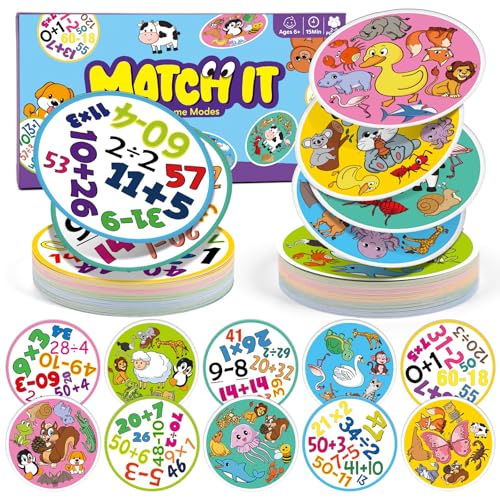
Coding for Kids: How It Empowers Young Minds at Every Age
TL;DR: Quick summaryCoding teaches your child to break a big problem into small steps, test an idea, and try again when it fails. Some coding apps are rated for children from age 4, and screen free play can start even younger. Keep it playful, sit beside them, and choose quality

In this article
TL;DR: Quick summary
Coding teaches your child to break a big problem into small steps, test an idea, and try again when it fails. Some coding apps are rated for children from age 4, and screen free play can start even younger. Keep it playful, sit beside them, and choose quality over minutes.
What you'll get
About 24 minutes to read. Short on time? Read the bold lines and the Key Takeaways near the end.
It is a Sunday afternoon. Your six year old is on the floor, telling a cushion to "walk" to the sofa. When the cushion does nothing, she tries again with different words. Nobody has opened a laptop, yet this is the heart of coding.
Many parents hear the word coding and picture rows of strange symbols, an expensive tablet app, or pressure about future jobs. Then the worry arrives: is this too early, too much screen time, or too hard?
This guide is for parents and caregivers of children from babies to twelve year olds. I will explain what coding really is, when to start, how to begin with no screen at all, which kits are worth a look, and how to keep it all safe. You will leave with simple games to play tonight and a calm plan for the moment your child says, "I can't do it."
What is coding for kids, and why does it matter?
Coding is giving clear, step by step instructions to a machine, or to anyone, so a task gets done. For children, it is less about computers and more about thinking: planning, spotting mistakes, and trying again. That is why it fits so well with play.
Think of coding as writing a very careful recipe for someone who has never cooked. Every step must be clear and in the right order. A computer, a robot, or a younger sibling playing along will do exactly what you say, not what you meant.
The four big ideas in plain words
Coding sounds technical, but it rests on four everyday ideas. Your child already lives with all of them.
Notice that none of these needs a screen. Coding simply gives children names for ideas they use all day, and a safe place to practice them.
Why it feels different from other screen time
Common Sense Media sorts screen use into four main categories, and coding sits under content creation, alongside making digital art or music. That is a very different experience from mindless scrolling.
The American Academy of Pediatrics says its guidelines do not set one screen time limit for every child. It asks families to consider the quality of interactions with digital media, not just the quantity. So the useful question is not "screen or no screen?" It is "is my child making something, or only watching?"
This also fits how young brains grow. If you like the bigger picture, building the thinking brain explains how planning, memory, and flexible thinking develop through childhood.
What coding is not
Let me clear up a few myths before we go further.
Picture a five year old who hates screens but adores lining up toy cars in a parade. She is already sequencing. If you say, "Which car goes first, and why?" you have just given her a coding lesson, and she thinks it is a game.
When you explain coding to your child, keep it light. You might say, "Coding is telling a robot exactly what to do, one small step at a time. When it goes wrong, we get to be detectives and find the bug."
Is my child old enough to start coding?
Some screen based coding games are rated for children from age 4, with a grown up beside them, but readiness matters more than the birthday. Under 18 months, skip screens apart from video chat. In the early years, screen free play builds the same thinking habits.
The honest answer is that the child matters more than the number. A four year old who loves sequencing games may be ready sooner than a seven year old who finds screens overwhelming. Look at what your child can do, then pick the activity.
Age by age: what is realistic
Under 18 months. Common Sense Media says to avoid screen time other than video chatting. Coding at this age should happen away from screens. Think stacking cups, filling and emptying containers, and your running commentary: "First the lid, then the spoon." That narration is sequence language in disguise.
Ages 2 to 5. The Children's Hospital of Philadelphia advises no more than one hour a day of high quality content, with all programming viewed or played with a parent. At this stage, keep coding mostly unplugged. Common Sense Media rates one caterpillar coding app for age 4 and up. It also says of one animal themed app that no reading is required and the drag and drop game mechanics will be easy enough for preschoolers.
Ages 5 to 8. Children this age are still building reading, counting, and patience, and the normal range is wide. Our guide to early school age milestones shows what to expect, so you can match activities to where your child really is.
Age 6 and up. The American Psychological Association advises establishing consistent limits on the time spent using media and the types of media.
Ages 8 to 12. Kits and robots become practical here, so check each product's age label before buying. We will look at them in a later section.
Check readiness, not the birthday
Reviews of coding apps often point to the same basic skills. One review of a coding app for young children says kids will do best if they can recognize numbers and count. Another says kids should know how to read in order to play. One course website has nothing iffy for younger kids, but its reading level and the skills taught are challenging.
Here is a quick check you can do with no app at all:
Do not be alarmed if one or two of these are "not yet." It just tells you where to begin.
Do not trust the age label alone
One review notes that parents enter their child's age when they create a profile, but it does not seem to change where kids start or which levels they can reach. So you need to check the starting level yourself.
Even well made toys leave gaps. One review notes that an app's audio directions feel a bit incomplete, so parents may need to help out, at least at first.
Audio directions for what kids need to do feel a bit incomplete, so parents may need to help out, at least at first.
Common Sense Media app review
Plan on being the missing instructions. Say, "Let's try this one together first, and then you can have a turn on your own."
What skills does coding actually build?
Coding practices sequencing, spotting and fixing mistakes, patience, and creative thinking. These are habits of mind rather than test scores, and they show up in everyday life, from tidying a room to building a block tower. Keep expectations realistic: it is a thinking workout, not a magic shortcut.
None of these skills belongs only to coding. Cooking, building blocks, board games, and make believe all build them too. What coding adds is fast feedback. You give an instruction, and you see right away whether it worked.
Sequencing and debugging
Sequencing means putting steps in a useful order. Debugging means working out why the order did not work. Picture a seven year old whose toy robot keeps bumping into the sofa. She has to ask: which step was wrong, the turn or the distance? That question is a small piece of scientific thinking.
Notice that nobody tells her she is wrong. The robot is simply doing what it was told. That takes the sting out of mistakes, which is a real gift for children who hate getting things wrong.
For an older child who likes making and doing, the Teach Tech Mech-5 coding robot shows sequencing in your hands. Many coding robots for older children work by sending the robot through a sequence of moves that the child builds from command pieces. Check the age range on the product page before you buy, since the right fit depends on your child's reading and motor skills.


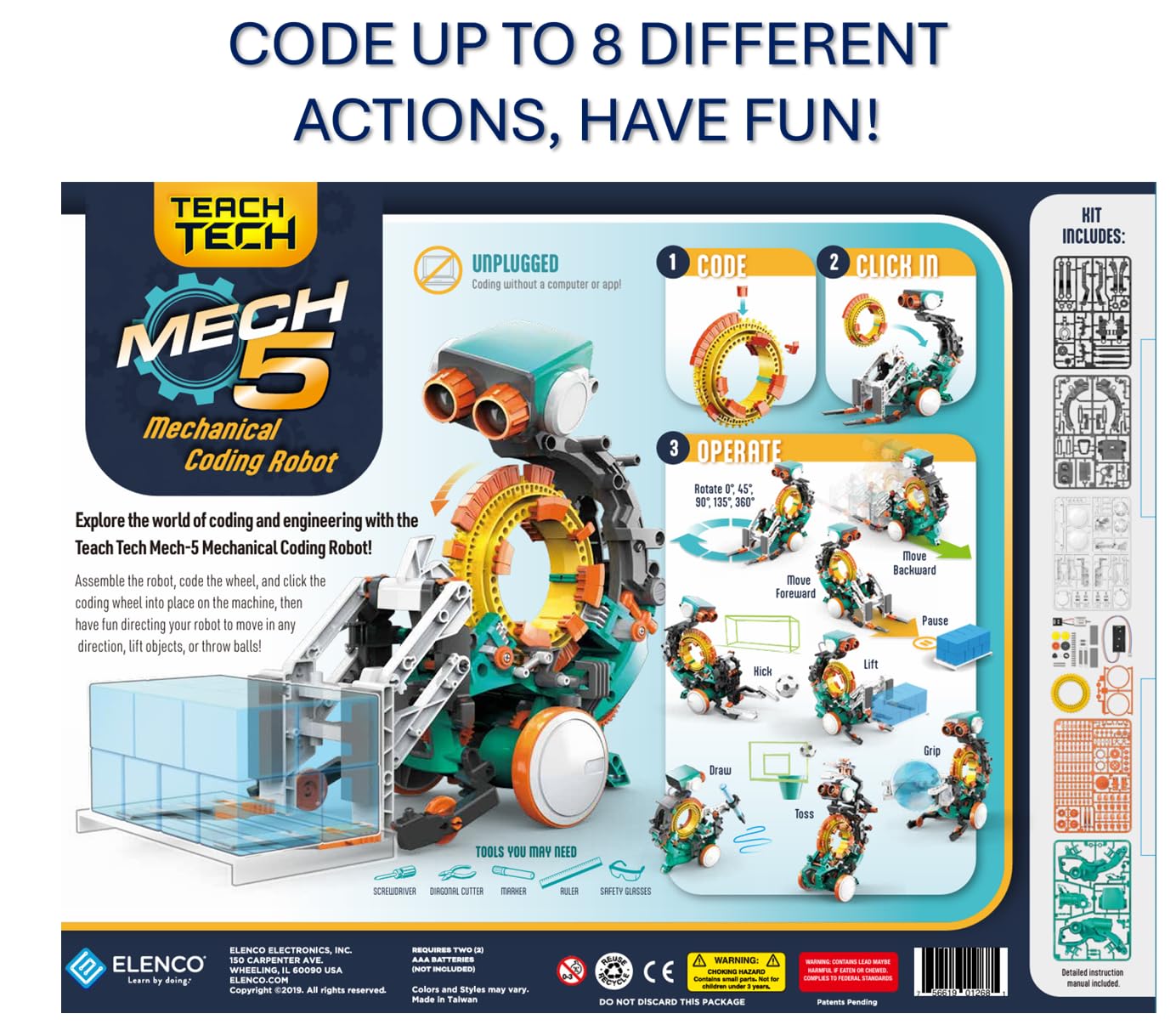
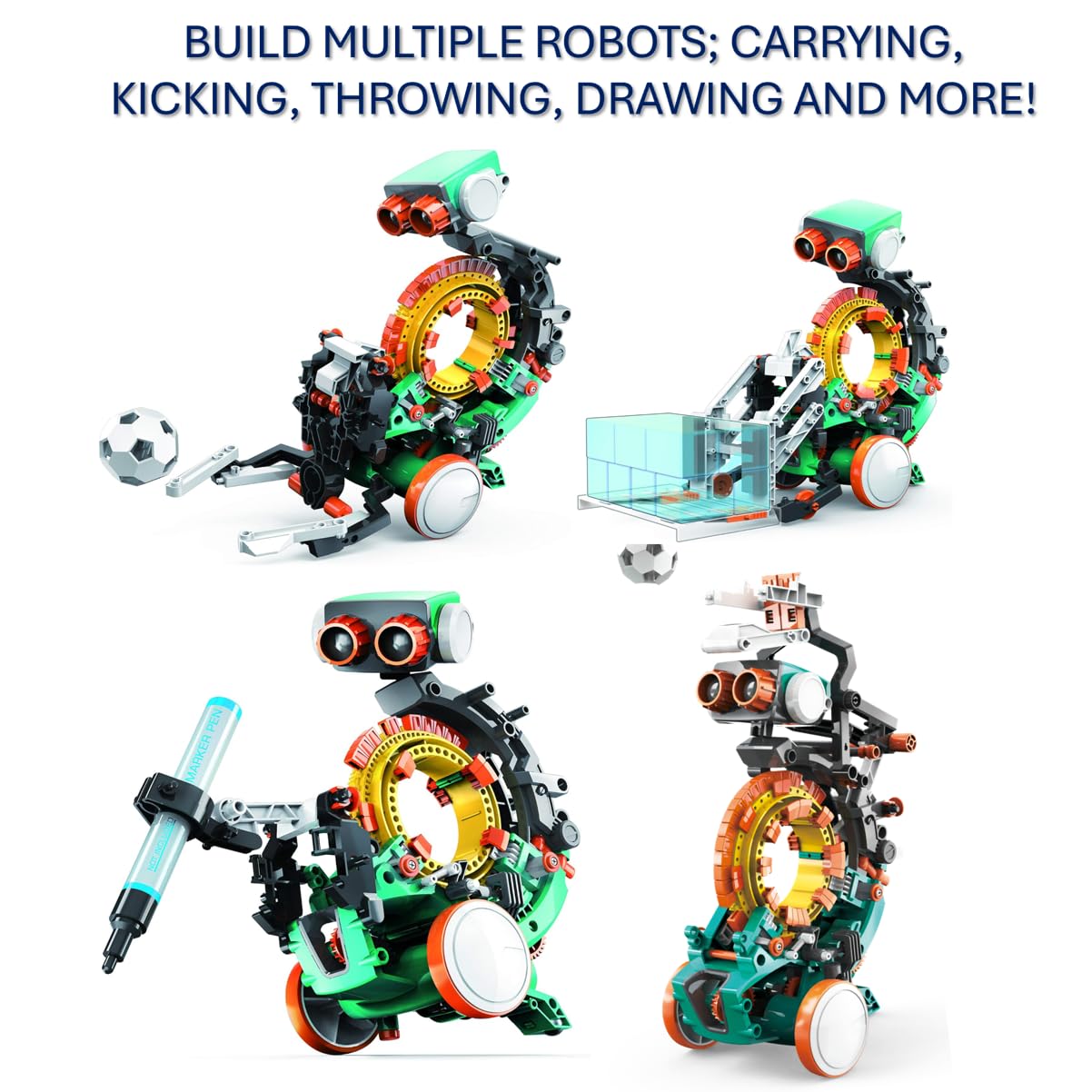
TEACH TECH Mech-5 STEM Coding Robot Building Kit for Kids Ages 10+
- Mech-5 is a one-of-a-kind Mechanical Coding Robot. This stem robot can throw, lift, kick, draw, and more, All…
- This mission-based, entry level robot is designed to inspire young engineers to learn about mechanical…
- Build it. Code it. Watch it move!
Persistence and a calm response to mistakes
Common Sense Media's review of one coding game site warns parents to expect kids to get stuck. It says they will need encouragement and, depending on age and ability, some help to get past the harder levels. That is not a flaw in your child. It is how the learning works.
Each time your child gets unstuck, she stores a small piece of proof: "I can work this out." Over many months that becomes confidence.
Here are signs it is working:
Creativity and make believe
Coding is not only about following rules. Some tools let children make their own games and animations by dragging and dropping commands into a script. Common Sense Media lists coding under content creation, next to digital art and music.
Coding is also a cousin of pretend play. A child invents a world, then decides how it works. If your child loves make believe, read how imaginative play builds problem solvers from babyhood to age twelve.
Common mistakes when building these skills
Instead, ask open questions in a curious tone. "What did you expect to happen?" "What happened instead?" "What could we change first?" These three questions work for coding, for homework, and for sibling arguments too.
How can we start coding without a screen?
Start with games that need no device: give instructions, follow them literally, find the mistake, and fix it. Unplugged play teaches sequences, loops, and debugging using cushions, tape, and a willing grown up. It works well before a child is ready for screens.
Unplugged coding has real advantages. It costs nothing, it works for a mixed age group, and it keeps your child moving. It also lets you see exactly how your child thinks, which a screen can hide.
Four screen free games to try
- Human robot. Your child is the programmer and you are the robot. She says, "Take two steps forward, turn left, pick up the sock." You obey exactly. When you walk into the wall, say, "Oops, bug! Where was the mistake?"
- Floor map. Use tape or cushions to make a simple maze. Your child makes arrow cards (forward, left, right) and lays them out in a row. Then she "runs" the program by walking the path.
- Loop dance. Make up a dance with a repeat: "Clap, stomp, spin. Repeat a few times." Then change the number and see what happens.
- Broken recipe. Write the steps for making a snack, but put two steps in the wrong order. Your child reads them aloud and finds the problem. Pouring milk before opening the cereal box makes a satisfying mess in theory.
For each game, try swapping roles. When your child becomes the robot, she learns what it feels like to follow unclear instructions, which can help her write clearer ones.
Counting, patterns, and early number sense
Coding leans on number sense. Counting, patterns, and "what comes next" all help. A wooden abacus is a lovely screen free tool for this, because beads show quantity in a way a child can see and touch.
Once your child is ready for a bit more, a kit like the Playz coding learning kit teaches computer science through hands on projects. Check the age range on the listing, and for younger children you will need to join in.

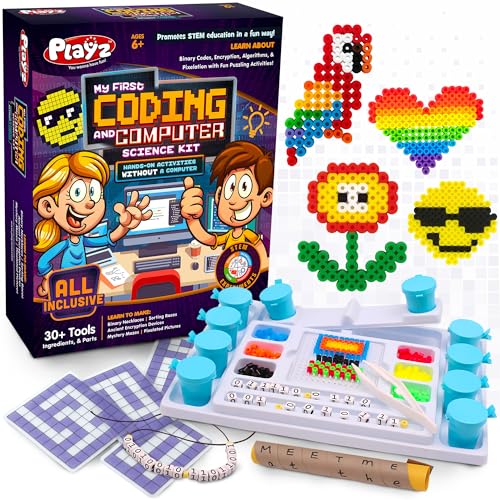


Playz Coding Learning kit, Educational Science Kits for Kids Age 8-12
- EXCITING WAY TO LEARN: Inspiring young children to learn has never been more fun with this Playz science kits…
- LOADED WITH VALUE: 30+ Tools, Ingredients, & Parts combined with a fun and simple instructions book make for…
- EASY TO USE: The fact-filled colorful lab guide is full of pictures and information giving kids hours of fun…
Do not over schedule the fun
Coding games should feel like play, not a class. Unstructured play matters on its own, so leave plenty of time that has no learning goal at all. A child who builds a cardboard castle for an hour is also practicing planning and problem solving.
If your child asks, "Why are we doing this?" you can say, "Because robots and computers can't guess. You have to tell them exactly, and that is a super power."
Which coding toys and kits are worth buying?
Choose the toy to match your child's reading, counting, and patience, not the box's age label. For most children, a simple kit they can build in an afternoon beats a complicated robot that ends up in a drawer. Start small and add later.
Prices may change, so check the current listing before you buy. Age labels are a guide, and your child may sit above or below them.
Starter kits for ages 8 and up
Check the listing for batteries and other parts that are not in the box.
Programmable robots for keen builders
A programmable robot lets your child write instructions and watch them run on a real machine. That makes bugs easy to see, because the robot either reaches the target or it does not.


Makeblock mBot STEM Coding Toys Robotics for Kids Ages 8-12
- Entry-level Coding Robot Toy: mBot robot kit is an excellent educational robot toys, designed for learning…
- Easy to Build: With clearly building instructions, this building kit can be easily built within 15 minutes…
- Rich Tutorials for Programming: With Offerring coding cards and lessons, children can easily use all…
Think of it as a weekend family project with an adult nearby, not a gift to hand over and forget.
How to decide: a short checklist
Be honest about that last question. The best toy in the world fails if nobody has the energy to help on a Tuesday evening.
Common buying mistakes
If a kit feels too hard, don't give up. Build the first project together, then let your child do the second on her own. Say, "I'll do the first one, you watch. Then you do the next one and I'll watch."
What should I do when my child gets stuck or frustrated?
Expect it. Getting stuck is part of coding, not a sign your child is behind. Stay calm, ask questions instead of giving answers, and offer help in small steps. A lot of the learning can happen in the stuck moment, so protect it.
Picture an eight year old who has been building a circuit for twenty minutes. The light will not turn on. She sighs loudly, pushes the board away, and says, "This is stupid." This is your moment, and it is a good one.
A simple five step rescue plan
- Name the feeling. "That looks really frustrating. Tricky, isn't it?" Do this before any advice.
- Ask what she expected. "What did you think would happen? What happened instead?"
- Shrink the problem. "Let's test just one piece. Does this part work on its own?"
- Offer one hint, not the answer. "Check the direction of this piece." Then step back.
- Celebrate the fix and the hunt. "You found it! How did you work that out?"
Keep your voice slow and warm. Children borrow your calm. If you sound worried, they will decide the problem must be big.
When to step in and when to step back
Help is not cheating. The reviews I mentioned earlier say parents may need to help at first, and that kids may need help with the harder levels. The skill is giving just enough help.
The Snap Circuits Explorer set can be a good confidence builder here. A child who is wobbly about a harder project can go back to an easy one and feel capable again.
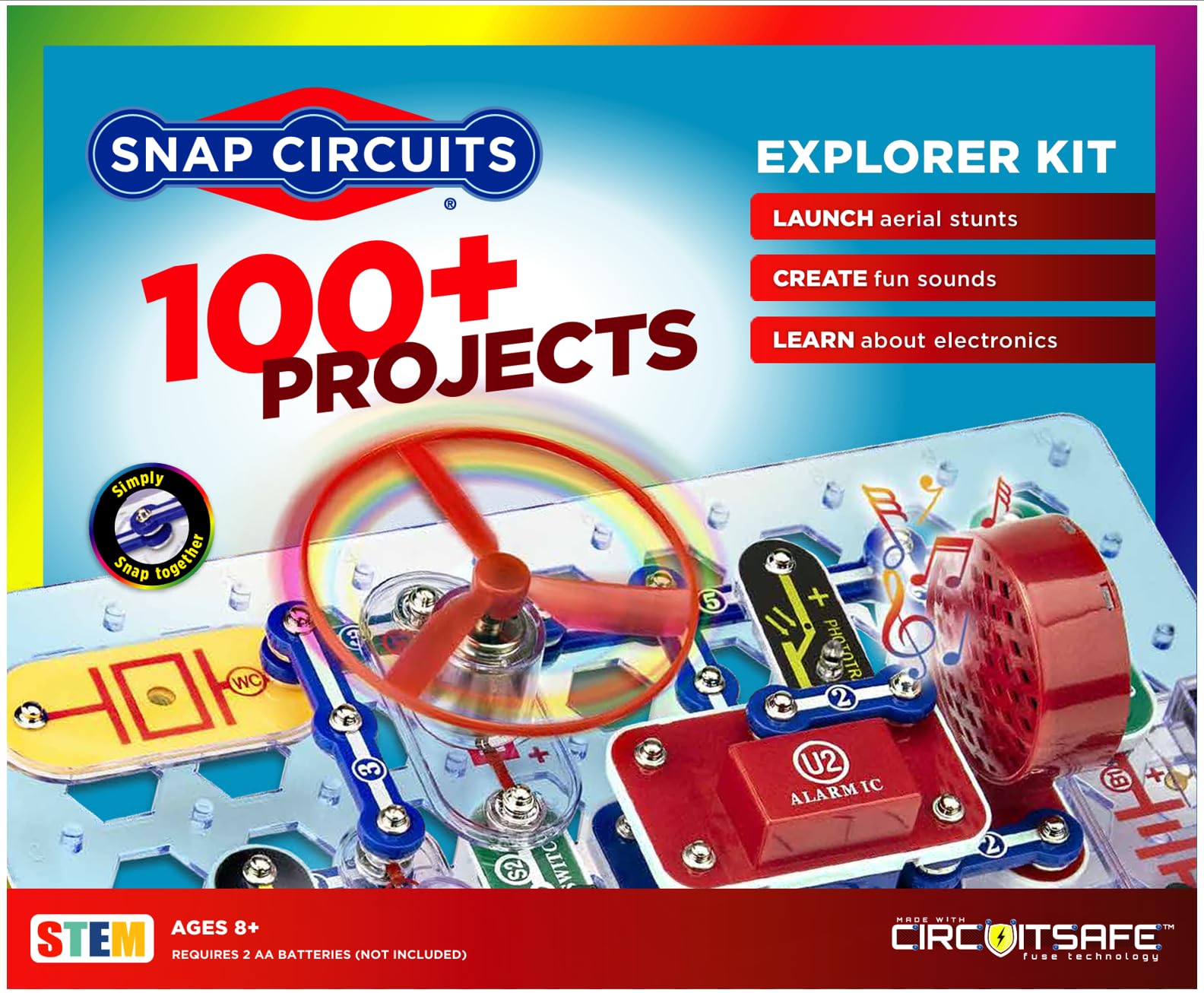
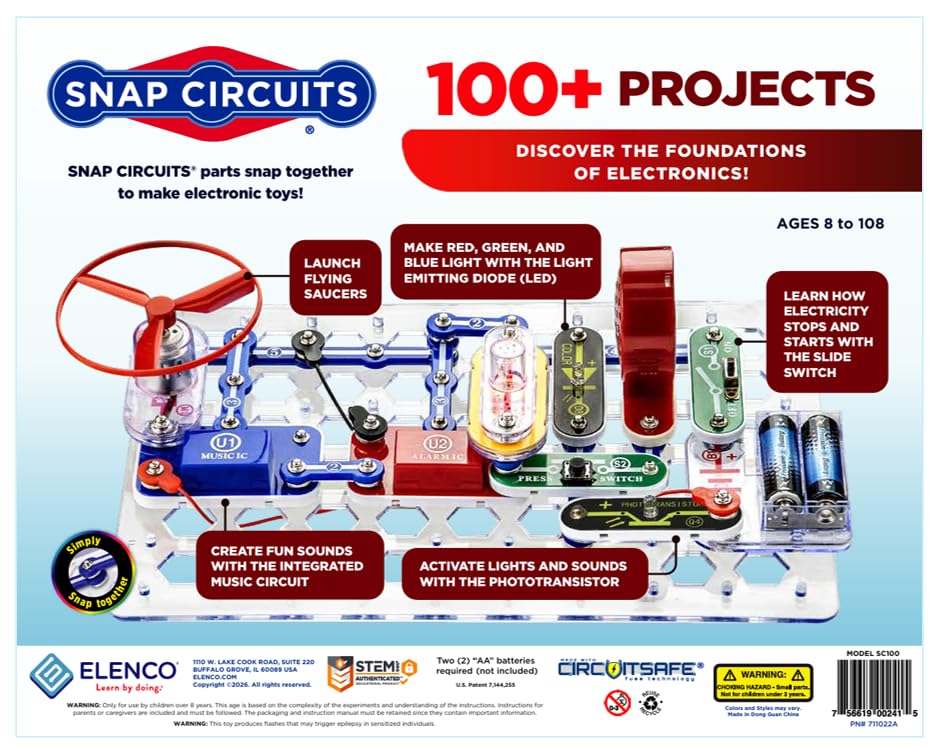

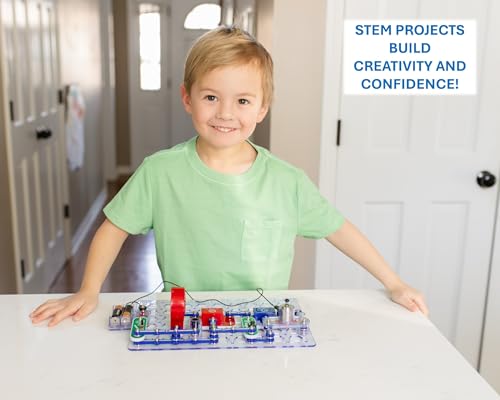
SNAP CIRCUITS Explorer SC-100 STEM Electronics Kit, 100+ Projects, Ages 8+
- SO MANY TOYS IN A SNAP: Make dozens of cool electronic gadgets - all from one box! A safe and fun way to…
- PROJECTS THEY'LL LOVE: So many fun electric-powered projects you can make and play! Ages 8 to 108 will love…
- GREAT GIFT Give the gift of learning and fun this holiday season! Snap Circuits kits will keep kids busy and…
Short, regular sessions beat long ones
Frustration builds when children are tired or hungry. Keep sessions short, and stop while she still wants more. Small, regular routines often stick better than occasional marathons, which is the idea behind the science of habit formation in children.
You might try a simple pattern: snack first, a short coding game, and then something physical. Ending on a high note often means she will be happy to come back tomorrow.
Common mistakes when your child is frustrated
When to get help
Occasional frustration is normal. Talk to your child's teacher or doctor if you are worried about how often she gets frustrated, or how she is doing in counting or reading compared with her classmates. Ask your doctor or health visitor what to look at next. Often a small adjustment, like extra reading support, makes the activity enjoyable again.
How do I keep coding safe and balanced?
Keep it safe by setting up accounts yourself, using a parent email for children under 13, checking privacy settings, and sitting beside your child. Keep it balanced by limiting how long, which devices, and which activities. Choose quality over minutes.
Many of the risks with coding apps are practical rather than scary. They involve accounts, data, and time. A few simple habits cover many of them.
Privacy and accounts
A federal law in the United States, the Children's Online Privacy Protection Act (COPPA), helps protect kids younger than 13 when they are online. It requires websites to explain their privacy policies and get parental consent before collecting or using a child's personal information.
In practice, you will see this at sign up. One coding app review notes that kids set a username and password and give an email address, which must be a parent's email for kids under 13. Use your own email, and keep the account details somewhere safe.
UNICEF suggests spending time with your child to identify age appropriate apps, games, and other online entertainment. It also asks you to be alert for apps that may have harmful content or pose privacy risks.
A short safety checklist
Teach your child the "ask first" rule
KidsHealth tells children to talk with their parents or another trusted grown up before they download a new app or game, or make an account for a website. Turn that into a family rule with simple words.
Try saying, "Before you download anything new, show me first. It's not because I don't trust you. It's because new things can have tricky settings, and we check them together."
Time, type, and balance
Common Sense Media suggests family rules that cover how long kids can use devices, the kinds of devices, and the types of activities or programs they can choose:
Include limits on how long kids can use devices, the kinds of devices they can use, and the types of activities or programs they can choose.
Common Sense Media
For ages 2 to 5, the Children's Hospital of Philadelphia advises no more than one hour a day of high quality content, viewed or played with a parent. For ages 6 and up, the American Psychological Association advises consistent limits on time and the types of media. The AAP reminds us that quality matters as well as quantity.
So a half hour of building a game, with you beside her, is not the same as a half hour of passive videos. Count both, but weigh them differently.
Common mistakes with safety and balance
A simple family coding agreement helps. Write three lines: where we code, when we stop, and who checks new apps. Put it on the fridge and let your child sign it.
Which coding option fits which child? A quick comparison
Use this table to match your child's age and interests to a type of toy. Ages are loose, taken from the listings, and prices come from the product list.
| Option | Best Age Range | Primary Benefits | Main Drawbacks | Recommended Product | Price Range |
|---|---|---|---|---|---|
| Unplugged computer science kit | About 6 to 12 | Binary, codes, sorting and mazes with no device | Needs an adult to explain ideas; no robot | Playz coding learning kit | $24.95 |
| Snap together circuits | About 8 and up | Quick wins, cause and effect, many projects | More electronics than code | Snap Circuits Explorer kit | $32.99 |
| Mechanical coding robot | About 10 and up | Sequencing with snap on coding buttons | Narrower age range; fewer projects | Teach Tech Mech-5 robot | $26.11 |
| Robotics build kits | About 8 to 12 | Several short builds, gentle first step | Batteries and bubble solution not included | BeAndge robotics kit | $16.19 |
| Programmable robot | About 8 to 12 | Real machine, grows from Scratch to Arduino | Batteries not included; needs some adult help | Makeblock mBot robot | $69.99 |
| Robot car with Arduino | Older, keen builders | Camera, line tracking, obstacle avoidance | Highest cost; best with a grown up helping | ELEGOO Smart Robot Car kit | $79.99 |
Frequently asked questions
Key Takeaways
- Coding is a thinking skill first: sequence, loops, conditions, and bugs, all of which children already use in daily life.
- Screen free coding games work at every age, and under 18 months screens should be avoided apart from video chat.
- Check readiness (counting, following steps, patience, and reading if the app uses text) rather than relying on the age label.
- Expect your child to get stuck, and respond with questions and one small hint rather than the answer.
- Set up accounts yourself, use a parent email for children under 13, and teach your child to ask before downloading.
- Judge screen use by quality as well as minutes, and keep limits on time, devices, and activities consistent.
- Start with one kit your child will really finish, and sit beside her for the first few sessions.
A last word
Coding is not really about computers. It is about teaching your child that a problem can be broken into small pieces, that a mistake is information, and that she can try again. Those lessons start with cushions on the floor, long before any kit arrives.
You do not need the fanciest robot or a perfect schedule. You need ten relaxed minutes, a curious voice, and the willingness to say, "Let's find the bug together."
A child who learns that mistakes can be fixed may grow up a little braver.
If this helped, save it for the next rainy afternoon, share it with another parent, and subscribe for more practical guides from tinymindsworld.com.
Sources & References
- Common Sense Media. "How Much Screen Time Is OK for My Kids?"
- chop.edu. "Screen Time: Know Your Child’s Limits."
- American Psychological Association. "Digital guidelines: Promoting healthy technology use for children."
- American Academy of Pediatrics. "Screen Time Guidelines."
- Common Sense Media. "Think & Learn Code-a-pillar - Parents' Guide & App Review."
- Common Sense Media. "Hopster Coding Safari for Kids - Parents' Guide & App Review."
- Common Sense Media. "Tynker Junior: Coding for Kids - Parents' Guide & App Review."
- Common Sense Media. "Kids'n'Code - App Review."
- Common Sense Media. "Hopscotch-Programming for Kids - Parents' Guide & App Review."
- Common Sense Media. "CodeMonkey - Parents' Guide & Website Review."
- Common Sense Media. "Codecademy - Parents' Guide & Website Review."
- Common Sense Media. "Code Land - Coding for Kids - Parents' Guide & App Review."
- kidshealth.org. "Internet Safety for Kids & Teens."
- kidshealth.org. "Internet Safety Tips for Kids (for Kids)."
- unicef.org. "How to keep your child safe online."
Frequently Asked Questions
What age should my child start coding?
Does my child need to read to learn coding?
Is coding counted as screen time?
How much time should my child spend coding each day?
Is coding safe for children under 13?
My child gets frustrated and quits. What should I do?
Do we need to buy expensive kits?
Was this helpful?
Thanks — your feedback helps us pick what to write next.