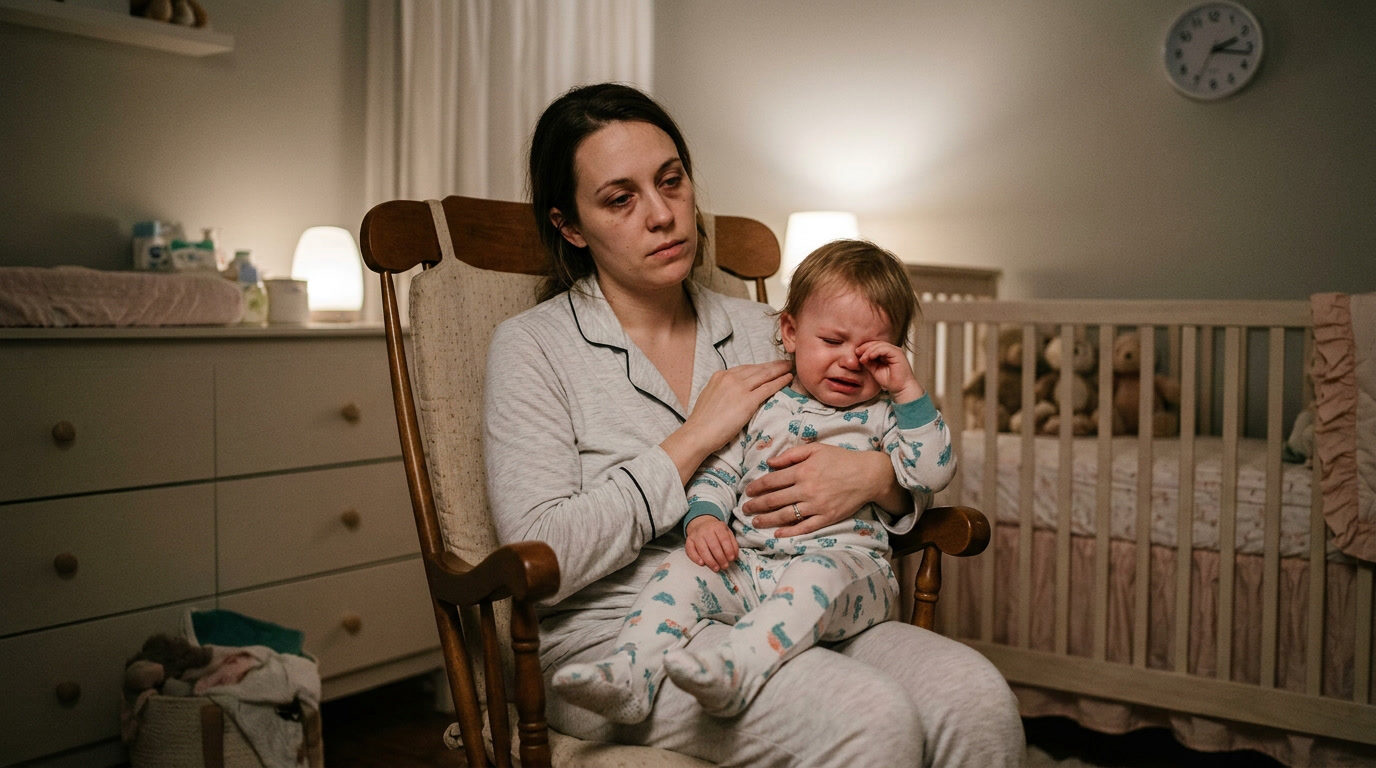
How Screen Time Is Changing Your Child and What to Do About It
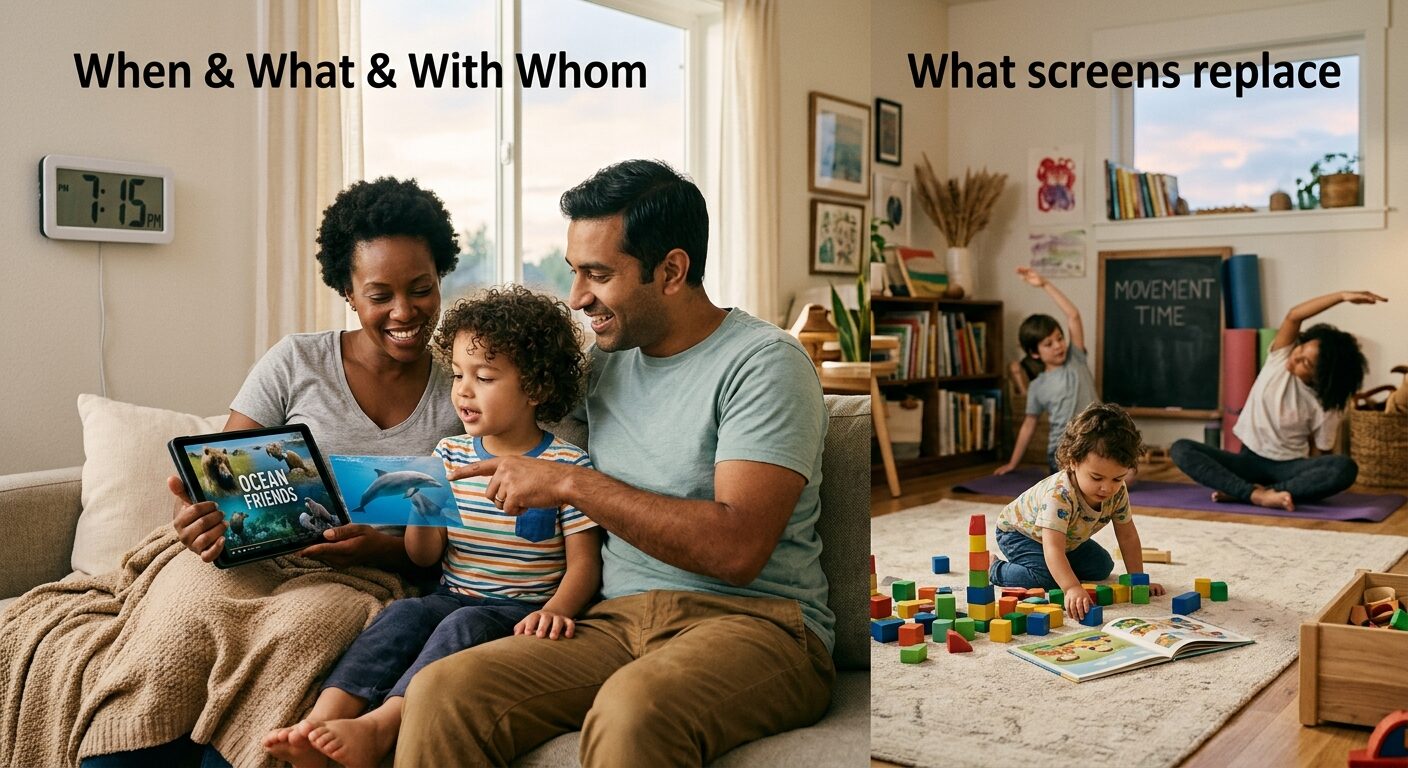
Screens change children mostly through what they replace (sleep, conversation, play and movement) and through what is on the screen, so the most useful thing you can do is shape when, what and with whom your child watches, rather than chase one magic number.
In this article
Here is a number that stops many parents mid scroll. The Common Sense Media census of 2021 found that American children ages 8 to 12 spent an average of 5 hours and 33 minutes a day on entertainment screens, and that did not include schoolwork. Younger children are not far behind. Common Sense Media's more recent census of children from birth to age 8 puts their daily average at roughly two and a half hours.
If you are reading this because something has shifted in your child, more meltdowns when the tablet goes off, a later bedtime, a shorter fuse, fewer words than you expected, you are not imagining it. I have had this conversation with parents in clinic more times than I can count. The honest answer is that screens do change children, but not in one single way, and not always for the worse. What matters is what the screen replaces, what is on it, and whether you are sitting beside your child while it is on.
What you'll understand by the end of this article:
1. How Much Screen Time Children Really Get, and What the Guidelines Say
Most children now get more screen time than the major guidelines recommend, and the gap grows with every birthday. The Common Sense Media census found that tweens averaged 5 hours and 33 minutes of entertainment screen use a day in 2021, up from 4 hours and 44 minutes in 2019. Teenagers averaged 8 hours and 39 minutes. A lot of that rise came during the pandemic, and it has not fully come back down.
Before you feel guilty, remember that an average hides a huge range. Some children are on a screen for twenty minutes a day. Others are on one for six hours. And the number alone does not tell you whether your child is learning, connecting with a grandparent on a video call, or being passively towed along by an autoplay feed.
What the guidelines actually say
The major bodies do not agree on every detail, but they agree on the big picture:
Why a number is only half the story
The Royal College of Paediatrics and Child Health (RCPCH) took a similar view in its 2019 guide for clinicians and parents. It found the evidence too weak to set a hard time limit for every child, and it suggested asking practical questions instead. Is screen use under control in your home? Does it get in the way of things your family wants to do? Does it interfere with sleep? I like that approach, because it matches what I see. Two children can both have two hours a day and look completely different depending on what else is happening in their lives.
2. How Screens Change Language and Brain Development in the Early Years
In the first five years, the main way screens change a child's development is by crowding out the live, responsive conversation that language and attention grow from. The research here is mostly observational, which means it shows links rather than proof, but the findings point in the same direction.
Screens and language learning
One of the most striking studies came from Patricia Kuhl and colleagues at the University of Washington, published in PNAS in 2003. Nine month old babies from English speaking homes heard Mandarin in twelve short sessions. Babies who heard a live person speak learned to tell Mandarin sounds apart. Babies who got the same content through video or audio alone learned nothing measurable. The babies were not bored. They simply needed a real person who looked at them, responded and shared attention.
This is sometimes called the video deficit. Under about age two, children learn far less from a screen than from the same information delivered by a person. The good news is that the deficit shrinks as children get older, and it shrinks further when an adult watches with them and talks about what is on screen.
Screens and developmental milestones
A 2019 study in JAMA Pediatrics, led by Sheri Madigan at the University of Calgary, followed 2,441 children. Children who had more screen time at ages 2 and 3 scored lower on developmental screening tests (communication, problem solving, fine motor skills and social skills) at ages 3 and 5. The researchers could not prove screens caused this, but the link held after they accounted for several other factors.
A smaller study in the same journal in 2020, by John Hutton and colleagues at Cincinnati Children's, used brain scans on 47 healthy children ages 3 to 5. Children who used screens more than guidelines suggest had lower measured integrity in white matter tracts linked to language and literacy skills, and scored lower on language tests. It is a small study, so I treat it as a signal to watch rather than a verdict.
Screens and attention
In 2004, Dimitri Christakis and colleagues reported in Pediatrics that each hour of television watched daily at ages 1 and 3 was associated with roughly a 10 percent increase in attention problems at age 7. Television then looks very different from tablets now, so I would not lean too hard on the exact figure. But I have seen the same pattern in clinic: fast paced content makes ordinary life feel slow, and a block tower or a picture book can seem dull by comparison.
What this means if you are worried about speech
If your toddler is quiet and also spends a lot of time on screens, it is tempting to blame the tablet. It may be part of the picture, but late talking has many causes, including hearing, and it deserves a proper check. If you are unsure, these signs of a speech delay are worth reading, and your health visitor or paediatrician can arrange a hearing and language assessment. Cutting screens is helpful, but it is not a substitute for finding out why.
3. How Screens Change Sleep, Mood and Behaviour
Screens change sleep more reliably than almost anything else, and poor sleep then shows up as mood and behaviour problems that look like something else entirely. A 2015 systematic review by Lauren Hale and Stanford Guan in Sleep Medicine Reviews looked at screen use and sleep in school aged children and adolescents. Most of the studies found that more screen use went along with later bedtimes, shorter sleep or both.
Three ways screens steal sleep
For babies and toddlers, who do not stay up late by choice, the story is slightly different. Screens before bed often arrive alongside a missed routine: no bath, no book, no cuddle. If you are also dealing with a rough sleep patch, it is worth knowing that what looks like sleep regression can overlap with changes in routine like these, so look at both.
Mood, meltdowns and the "off switch" problem
Many parents tell me the worst moment is not the screen time itself, it is the end. A child absorbed in fast, rewarding content is asked to stop and move to something much less rewarding, and the drop feels huge. That is not bad character; it is an immature brain being asked to do a hard transition. If tantrums are climbing, it helps to read about tantrums that keep getting worse, because screens are only one possible trigger among hunger, tiredness and developmental leaps.
There is also a quieter pattern. When a screen becomes the main way a child calms down, they practise less of the skill of calming themselves. It works brilliantly in the moment, which is exactly the trap. I go into the trade offs in more detail in our piece on using screens to calm your child, but the short version is: occasional use in an emergency is fine, and a daily habit is worth rethinking.
Make the bedtime wind down visible
Young children understand "five more minutes" poorly, because they cannot yet feel time passing. A visual timer shows it for them, and it can turn the bedtime routine into something predictable instead of a negotiation. A rainbow style timer like this one can make "tidy up and get pyjamas on" feel more like a game than an order.
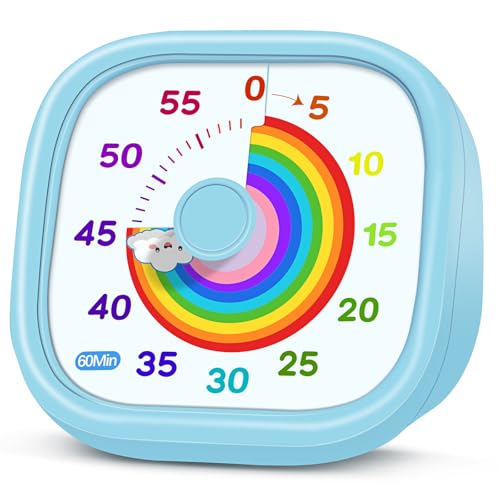
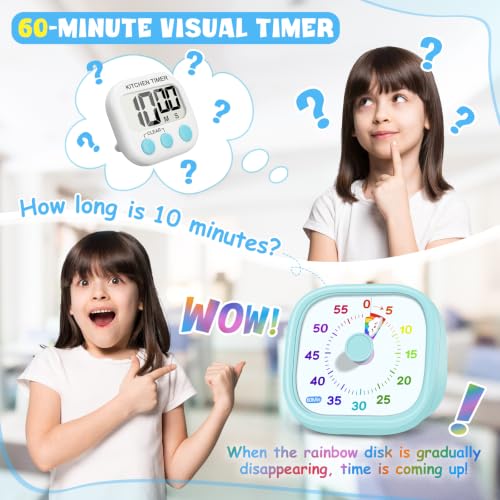
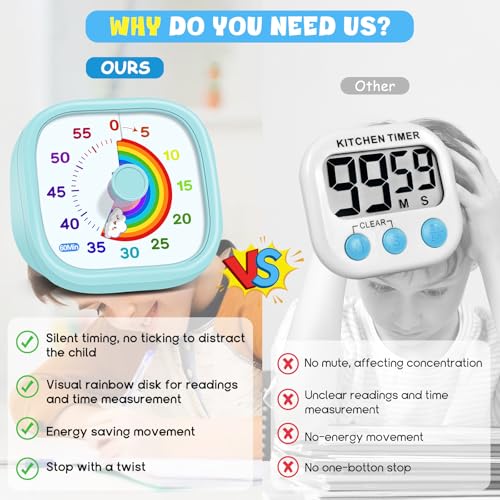
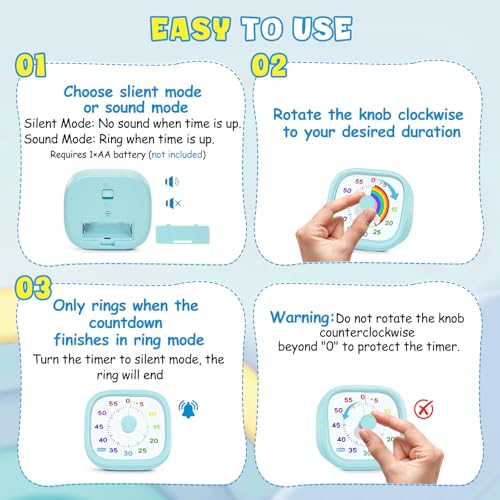
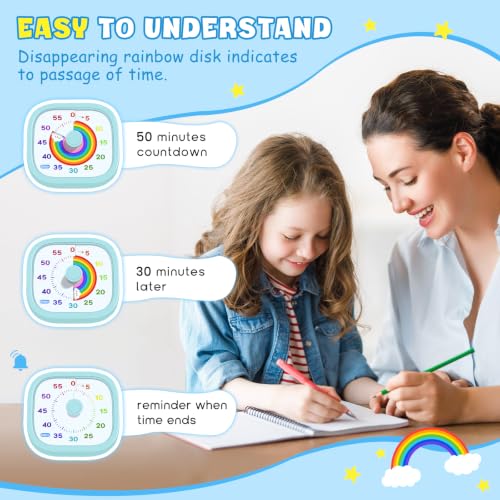
HIPPIH Visual Timer for Kids, 60-Minute Countdown Silent Operation Timer
- 【Lively Rainbow Visual Timer】Our visual timer boasts a rainbow pattern to capture kids' attention. Ease their
- 【Easy Use】Twist the knob clockwise to set the time; flip back to "0" to stop the kitchen timer; or press the r
- 【Silent & Visual Countdown】No ticking sounds, stay calm and focused. Our visual timer for kids display time th
4. How Your Own Screen Habits Change Your Child
Your phone changes your child more than you probably expect, because young children read your attention as their main source of safety and connection. Researchers call it technoference, meaning everyday interruptions in parent and child interaction caused by technology.
What the research shows
In 2014, Jenny Radesky, a developmental behavioural paediatrician at the University of Michigan, and colleagues quietly observed 55 caregivers eating with young children in fast food restaurants. Forty of the 55 used a mobile device during the meal, and some were so absorbed that children's bids for attention were met with little more than a glance. Radesky was also the lead author of the AAP's 2016 statement on media and young minds.
A later study by Brandon McDaniel and Radesky in Child Development (2018) followed families over time. Parents who reported more technology interruptions in daily family life also reported more behaviour problems in their children, such as whining, sulking and tantrums, and the link continued across time. It does not prove cause. A stressed child may pull more at a parent who is on the phone, and a stressed parent may reach for the phone. Probably both are true.
This is not a reason to feel guilty
Most of us are on our phones because work, family logistics and half our social lives now live there. Ten minutes replying to a school WhatsApp message is not damaging your child. What matters is the pattern:
That last point is a quiet win. Children cope far better with a short, announced wait than with a distracted parent who says "mm hm" without looking up.
Regulating yourself is part of the job
If your phone is part of how you cope with a hard day, join the club. Many parents find that the toughest moments, a screaming toddler in a supermarket for example, are exactly when they reach for the screen to end it. You may find it reassuring to read how one mom stays calm during tantrums, because her approach shows that calming yourself first is often the fastest way to calm a child, with no screen needed.
5. Signs Screen Time Is Becoming a Problem, and What Is Perfectly Fine
Screen time becomes a problem when it consistently pushes out sleep, movement, face to face connection or mealtimes, or when your child cannot cope without it. Time on its own is a weaker signal than function: how is your child doing in the rest of their life?
Red flags worth acting on
If you recognise several of these, it is time to make a change, ideally together and calmly. If distress is intense, if mood seems low or anxious, or if your child seems unable to stop despite wanting to, please talk to your paediatrician or GP.
Green flags: screens that are doing fine
Some screen use really is fine, and often helpful. Video calls with relatives, a favourite programme watched together, a slow paced educational show for a preschooler, a music app the whole family dances to, a drawing app, an audiobook while you cook: none of these deserve guilt. The RCPCH also notes that quality of content and context matter, and that many children's screen use is perfectly reasonable.
Mealtimes deserve their own rule
Screens at meals deserve a firm line for two reasons. First, children who watch while eating tend to eat more mindlessly and are less able to tell when they are full. Second, if your toddler is going through a fussy stage, a screen can seem like a trick that gets food in, but it tends to make the fussiness stick. If you are in the middle of a picky eating phase, take the screens off the table first. It makes everything else easier.
Helping an older child see the problem
Children ages 8 to 12 respond far better to being part of the plan than being handed one. Ask them what they enjoy and what they think a fair amount of time looks like. Many will surprise you by asking for limits. A visual timer gives an older child an objective referee, so you are no longer the villain who "stops the fun". The [Nixroork visual timer](PRODUCT_LINK_PLACEHOLDER) is an inexpensive silent option that works well for homework and device limits alike, and the compact TIME TIMER Home MOD below has a silent design and comes in colours that can each be assigned to a different task.


TIME TIMER Home MOD – 60-Minute Visual Timer Home Edition, Silent Operation Study Tool for Kids Desk, Homeschool Supplies, Office & Meetings (Lake Day Blue)
- TIME MANAGEMENT — The 60-minute learning clock assists with organization and concentration among tasks. The de
- SPECIAL NEEDS — The countdown analog timer can be understood intuitively by all ages and abilities, including
- EASY TO USE — The homework timer features 4 different removable silicone covers (not included) that encourage
6. How to Change Screen Time Step by Step Without a Daily Battle
The most effective way to change screen time is to make a calm plan with clear, predictable rules and a visible end point, then follow it consistently. Surprise bans and bargaining usually fail, because children experience them as unfair and unpredictable. Here is the order I walk parents through in clinic.
Step 1: Start with your audit
Use the three day log from earlier. Look for the times screens are doing a job: the 5pm witching hour, the morning rush, the long car journey. Those are the moments where you will need a replacement, not just a rule.
Step 2: Write a family plan
The AAP offers a free Family Media Use Plan at HealthyChildren.org, where you pick realistic rules for screen free zones, meal times, bedtime and content. Writing it down, even on a sheet of paper stuck to the fridge, makes it easier to be consistent and harder to renegotiate every day.
Good rules are short, concrete and apply to everyone:
Step 3: Make the end visible
Young children cannot read a clock, so "ten more minutes" means nothing. A visual timer shows the remaining time as a disk that gets smaller. There is no ticking and no number to read, so your child can see for themselves when it is nearly over. That shifts the end of screen time from "Mum said so" to "the timer said so", which tends to reduce the argument.
The TIME TIMER 8 inch visual timer is the one I most often suggest to families. It is silent, it is magnetic so it can sit on the fridge, and the dry erase activity card lets you write what comes next ("bath", "shoes on") so your child knows there is a plan after the screen. Other sizes in the same range are available, for example the [12 inch TIME TIMER](PRODUCT_LINK_PLACEHOLDER) if you want something your child can see from across a big room.
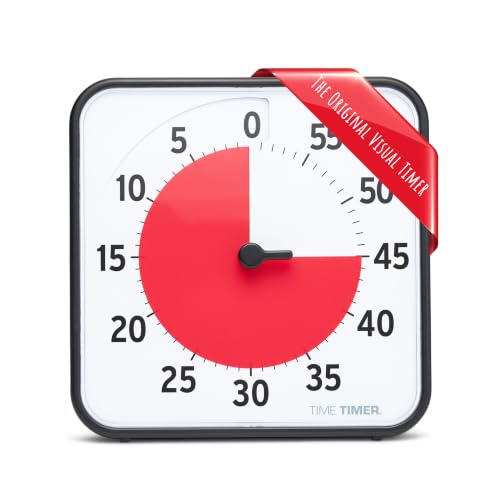
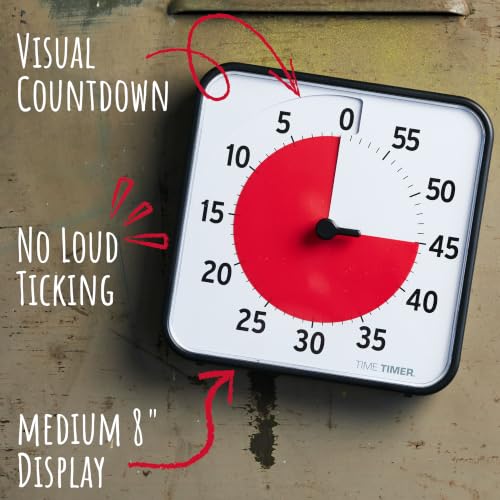

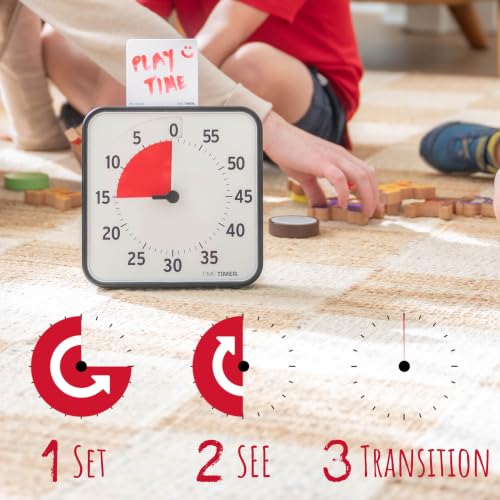
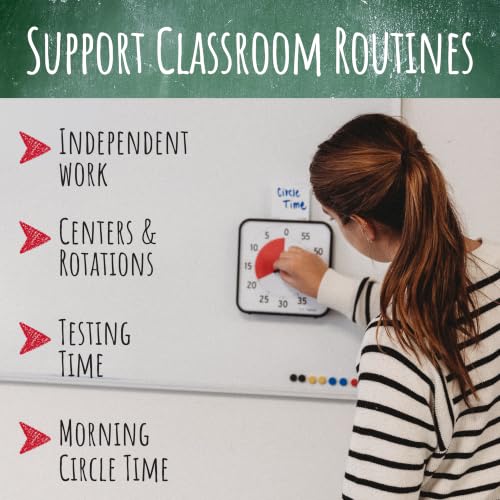
TIME TIMER 8 inch Visual Timer - 60 Minute Kids Desk Countdown Clock with Dry Erase Activity Card, Also Magnetic - for Kids Classroom, Homeschooling Study Tool, Task Reminder, Home and Kitchen Timer
- TIME MANAGEMENT — The 60-minute learning clock helps to stay on task, and assist with organization and concent
- SPECIAL NEEDS — The visual design of the desk timer helps to ease transitions between activities and encourage
- EASY TO USE — The timer for kids provides no loud ticking for concentration and a dry-erase activity card to w
Give a warning before the timer ends ("When the red is gone, we turn it off and then we choose a snack"). Then follow through every time, in a friendly tone.
Step 4: Use the guardrails already built into the device
Phones and tablets have settings that let you limit time, block content and approve apps. They do not replace your attention, but they help hold the line on the days you are tired. The video below shows how to set up Screen Time on an iPhone.
Whatever platform you use, check three things: the content filter, a downtime window overnight, and app approvals. Many social platforms have a minimum age of 13, so take that seriously when a friend's child is already on them.
Step 5: Replace, don't just remove
Taking a screen away leaves a gap. Fill it with something that meets the same need. If the tablet is how your child winds down, try a bath, a story or a drawing session. If it is how you cook dinner in peace, try a podcast or an audiobook for your child, or give them a kitchen job.
Step 6: Stay kind and consistent
Expect pushback for the first week or two. Children test new rules, and that does not mean the rules are wrong. Acknowledge feelings ("You really wanted to watch more, that's disappointing") while holding the limit. If your child is a strong willed one, these gentle parenting approaches show how to stay warm and firm at the same time.
Choosing a Visual Timer: Side by Side
Visual timers are not magic, but they are among the cheapest and most effective tools I suggest for screen transitions, homework and bedtime. Here is how the six options compare.
| Option | Best Age Range | Primary Benefits | Main Drawbacks | Recommended Product | Price Range |
|---|---|---|---|---|---|
| Large 12 inch desk timer | Ages 3 and up, shared spaces | Easy to see from across a room; dry erase activity card; magnetic | Takes more space | TIME TIMER 12 inch Visual Timer | $31.95 |
| Standard 8 inch desk timer | Ages 3 and up | Silent; dry erase card for task lists; magnetic for the fridge | Mid range price | TIME TIMER 8 inch Visual Timer | $27.95 |
| Compact 3 inch timer with app | Ages 5 and up, desk use | Small footprint; closeable lens; 3 x 3 inch dry erase board; desktop app access | Small display, harder to see from a distance | TIME TIMER 3 inch Visual Timer | $23.95 |
| Colour coded home timer | Ages 4 and up | Silent; removable silicone covers (not included) let each colour match an activity | Covers sold separately | TIME TIMER Home MOD | $16.96 |
| Simple knob timer | Ages 3 and up, budget choice | Silent mode; optional alarm; green disk shrinks as time passes | Fewer features | Nixroork 60 Minute Visual Timer | $9.99 |
| Rainbow colour shift timer | Ages 3 to 8, routines like bedtime | Colour shift display, no numbers to read; silent or ring mode | Less suited to older children | HIPPIH Visual Timer | $9.99 |
Expert Insights: What the Guidelines Say in Their Own Words
I find it helpful to read the guidance itself, not a headline about it. These three statements come straight from the AAP and the WHO.
What I take from all three is the same message: the screen is rarely the villain on its own. Adults, stories and shared attention are the active ingredients in a young child's development, and screens are best treated as a supplement to those, not a stand in for them.
Conclusion
If you have read this far, you are already doing the thing that matters most: paying attention to how screens are changing your child. You do not need to throw out every device or feel guilty about the cartoon you let them watch on a hard morning. Children grow up well in homes with screens in them, as long as there is plenty of sleep, play, conversation and love around them.
Screens are not the enemy, but they do work best as a small part of a full day, not the thing the day is built around.
Pick one change from this article, try it for two weeks, and notice what shifts. If this helped, save it for the next time the tablet battle starts, and share it with another parent who needs to hear that they are doing better than they think.
1. Common Sense Media. "The Common Sense Census: Media Use by Tweens and Teens, 2021." 2022. https://www.commonsensemedia.org/research/the-common-sense-census-media-use-by-tweens-and-teens-2021 2. Common Sense Media. "The Common Sense Census: Media Use by Kids Zero to Eight." 2025. https://www.commonsens
Frequently Asked Questions
How much screen time is too much for a toddler?
Does screen time cause speech delay?
Is educational screen time actually good for my child?
How do I stop tantrums when I turn off the tablet?
Should I remove all screens from my child's bedroom?
When is the right age to give my child a phone?
Are my own phone habits really affecting my child?
Was this helpful?
Thanks — your feedback helps us pick what to write next.